Product catalog
Prepare product descriptions from your Odoo fields. Review the output before publishing.
Odoo 19 · Community & Enterprise
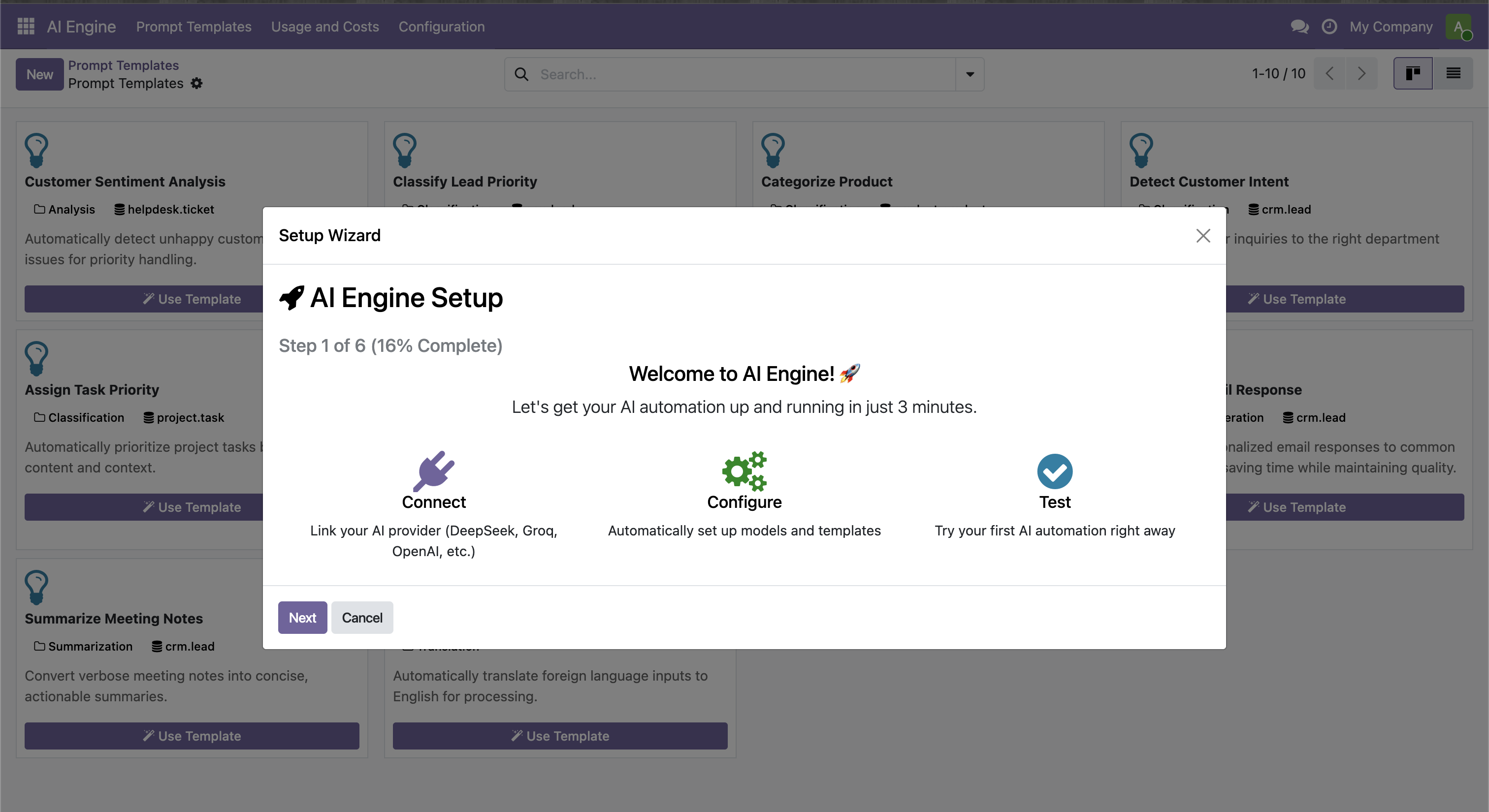
Connect OpenAI, Claude, DeepSeek or Ollama to your Server Actions. Configure the model, define the task and use the result in your workflow.
One-time module license. AI usage billed separately.
Check the store for the final price, currency and applicable taxes.
Use cases
Prepare product descriptions from your Odoo fields. Review the output before publishing.
Summarize messages and draft replies to give your team a starting point.
Summarize sales notes and generate follow-up suggestions from your records.
Configuration examples, not guaranteed results. Always review model responses before using them.
Inside the module
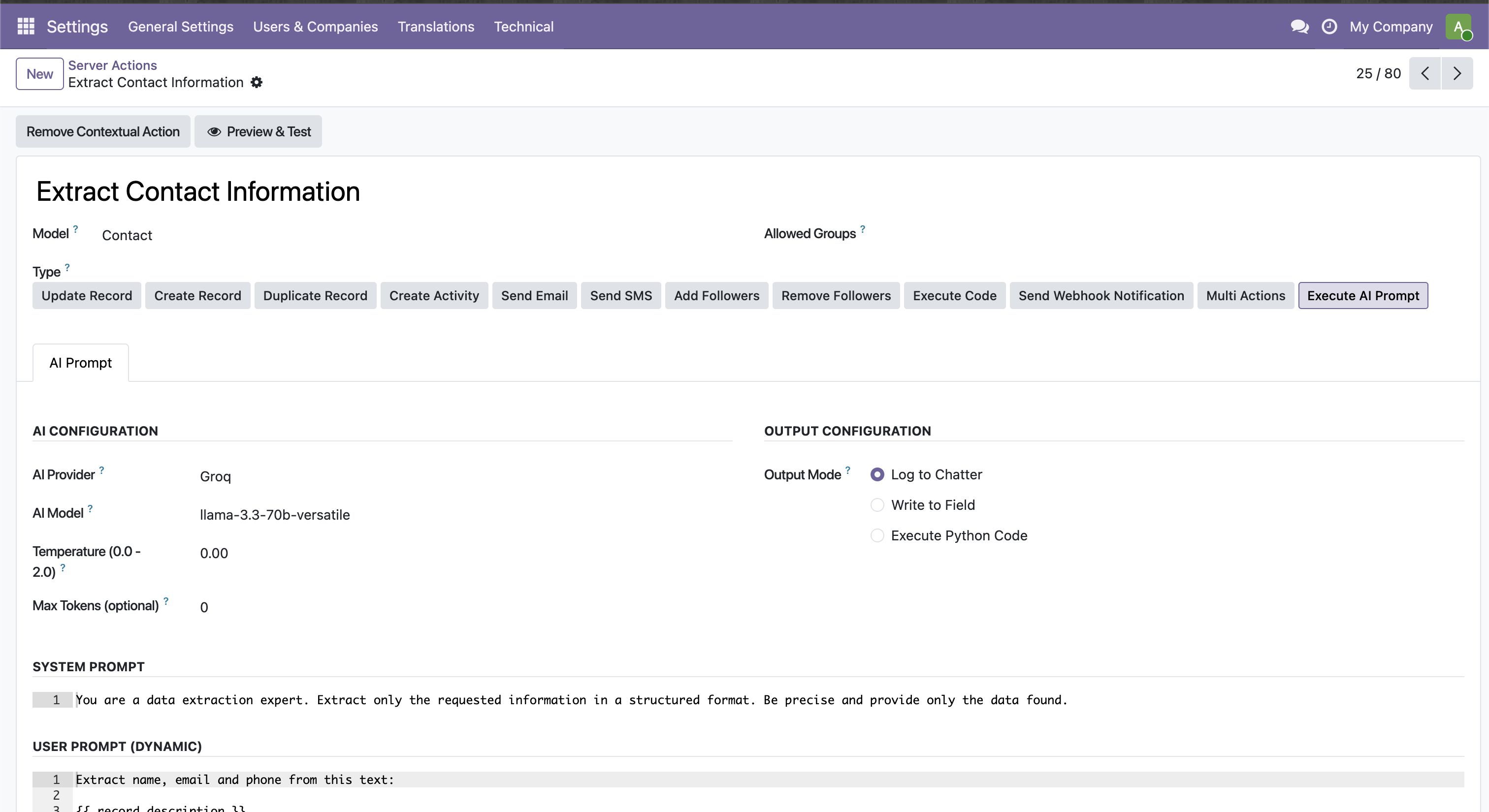
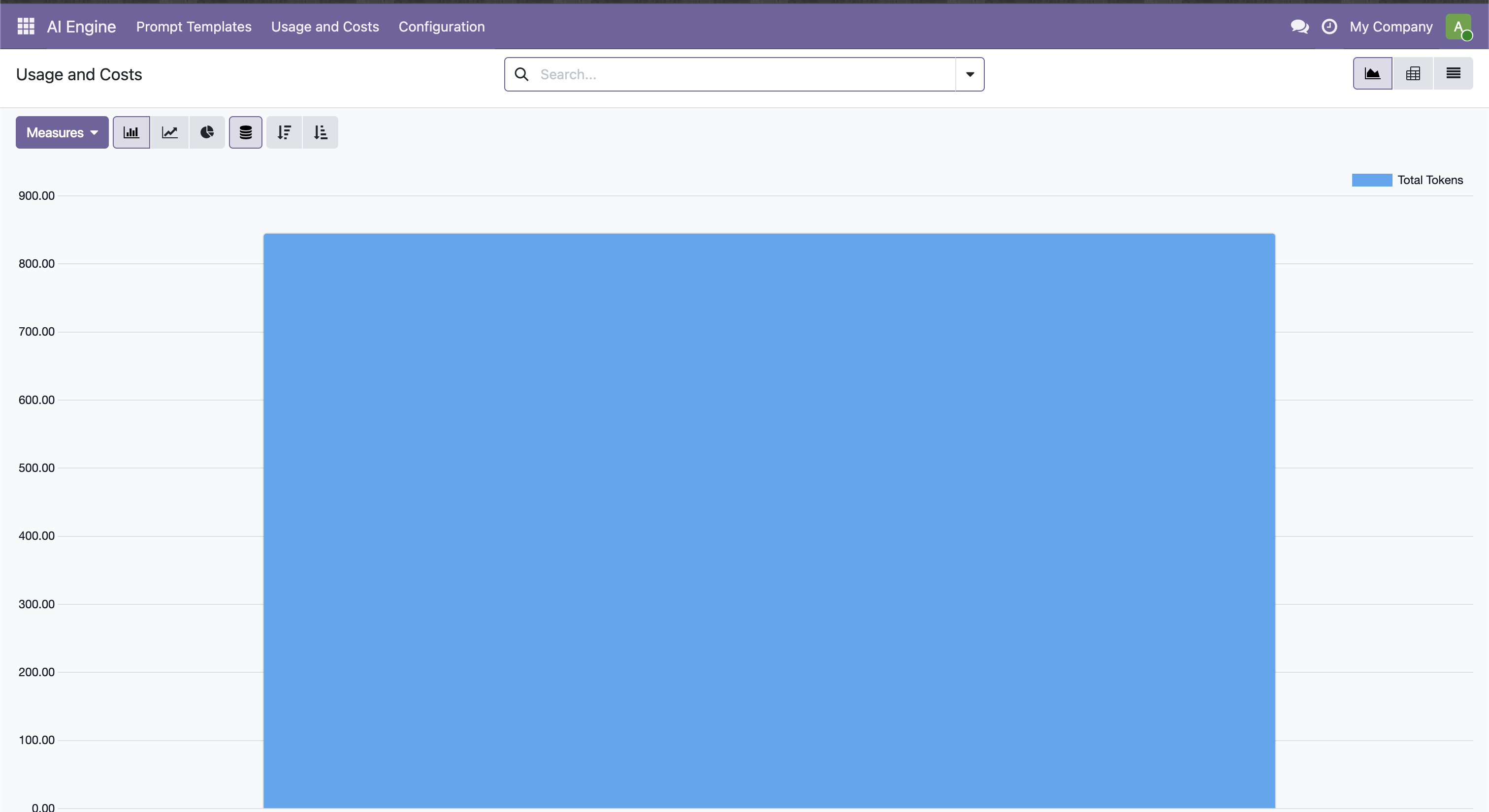
Before you start
Frequently asked questions
No. For OpenAI, you need API access and API billing, which are separate from a ChatGPT subscription. Other providers have their own terms.
Yes, through Ollama. Your Odoo server must be able to reach the instance. Infrastructure costs and capacity depend on your installation.
No. The payment covers the module license. Usage is billed directly by your chosen AI provider.
Requests go from Odoo to your configured provider. Review the fields you include, that provider’s terms and your installation’s access permissions.
Email us with your Odoo version and the process you want to automate so we can assess the fit. The screenshots on this page show the real module; they are not an interactive demo.
Module purchases and support follow the listing and Odoo Apps terms. Custom configuration, integrations and adaptations are agreed separately.
Let’s talk
Tell us which version you use, the task you want to improve and the outcome you need. We’ll start there.
support@jvrlabs.esOpens your email app. You can also copy the address.